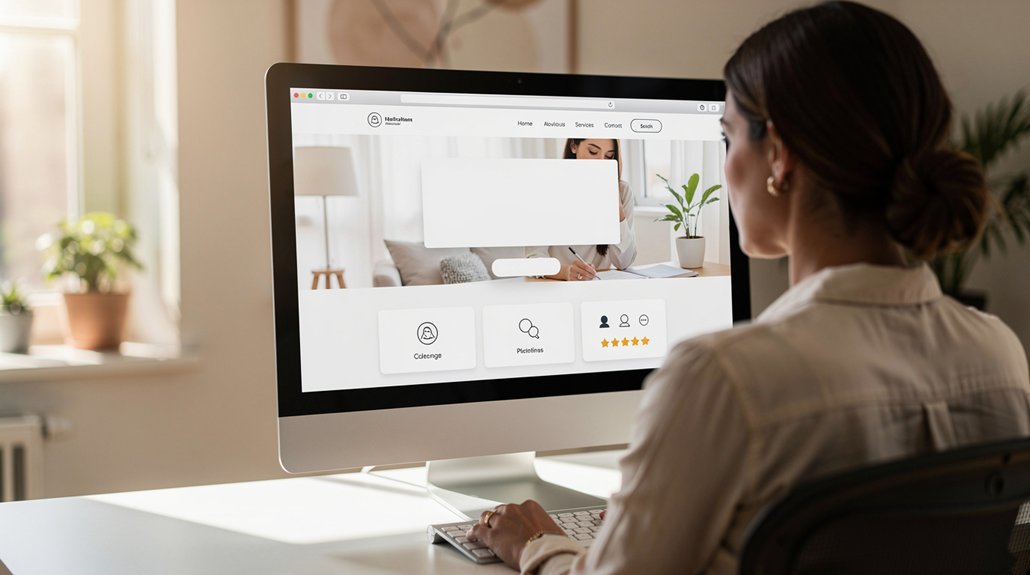
Your homepage needs to quickly show visitors what you offer, why they can trust your business, and what to do next. Make those answers easy to find on every device, and you’ll give potential customers a clear path forward. For example, highlight your main service, add a customer testimonial, and use a button such as “Request a quote.” Use these five must-have elements to make a strong first impression and guide visitors toward taking action.
Clarify What Your Small Business Offers

Make your homepage clear at a glance. Say what you sell or do, who it’s for, and how it helps. For example: “We repair commercial refrigerators for restaurants and grocery stores.” That tells visitors right away whether they’re in the right place.
Explain the problem you solve and what customers can expect from your approach. Skip vague promises and industry jargon. Connect a specific need to a practical result, such as less downtime or a simpler booking process.
Put this message near the top of your homepage, then give visitors one clear next step: request a quote, book a consultation, or shop your products. Keep the focus on what customers need to know to take action.
Show Reviews and Credentials to Build Trust
Reviews and credentials help visitors trust your business before they contact you. Add customer testimonials that highlight specific results, responsive service, or expertise. Choose brief quotes from real clients, and include their names or business details when you have permission.
For example, a home services company might feature a customer’s comment about a clear estimate and a job completed on time.
Show relevant industry certifications, licenses, or professional memberships to demonstrate your qualifications. Link each credential to the issuing organization when possible, and remove or renew anything that’s out of date.
Place reviews and credentials near your main offer or contact button, where they can answer questions at the moment visitors are deciding what to do.
Choose evidence that supports your claims, and review it regularly so your homepage reflects the trust you’ve earned.
Make Your Homepage Navigation Easy to Use
When visitors can’t find what they need, they may leave before contacting you. Make your homepage navigation simple, clear, and focused on what matters most.
Start with a short list of top-level menu items, such as Services, Pricing, About, and Contact. Use familiar labels so visitors know where each link leads. Give every link a clear destination, and make your main call to action—such as “Get a quote” or “Book a consultation”—easy to spot.
Review your menu from a visitor’s point of view. Can someone quickly find your services, prices, and contact details?
A well-organized menu helps visitors feel confident and take the next step without unnecessary searching.
Make Your Small Business Homepage Mobile-Friendly
Clear navigation matters on every screen, especially on mobile, where space is tight. Use responsive design so your homepage adjusts to different screen sizes and visitors don’t have to pinch, zoom, or scroll sideways.
Responsive design keeps mobile navigation clear and prevents visitors from pinching, zooming, or scrolling sideways.
Keep text easy to read, write concise headings, and size images to fit each screen without slowing the page.
Make your links and buttons easy to tap. For example, leave enough space between menu items so visitors don’t accidentally open the wrong page.
Test your homepage on several phones and tablets, then fix any cramped layouts, hard-to-tap controls, or slow-loading images.
These practical improvements help visitors stay engaged and make your business feel trustworthy and accessible.
Add a Call to Action Visitors Can Follow
Give visitors one clear next step, such as booking an appointment, requesting a quote, or buying a product. Put your main call to action where it’s easy to find, and use button text that tells people exactly what happens next, such as “Book an appointment” or “Get a quote.”
Choose an action that supports your business goals and meets your visitors’ needs. Avoid giving several options equal prominence.
Make it easy for visitors to act. Pair a clear benefit with a simple next step, and add brief details that build trust, such as what to expect after submitting a request.
Test different button wording, placement, and design. Track clicks and completed actions, then use what you learn to improve your homepage.
Frequently Asked Questions
How Often Should I Update My Small Business Homepage?
Update your homepage whenever your offers, business hours, or customers’ needs change. Set a monthly reminder to review it, too. Check that prices, contact details, seasonal promotions, and key service information are current. Keep the design consistent, but refresh the content so visitors can quickly find what they need. Timely updates build trust and help turn more visitors into customers.
Should My Homepage Include a Blog or News Section?
Include a blog or news section on your homepage if you can keep it current. Share useful updates, such as product tips, company news, or answers to common customer questions. Add a relevant image when it helps explain the story, and use the same colors, fonts, and tone as the rest of your website. If you can’t publish regularly, leave the section off until you have fresh content to share.
What Images Work Best on a Small Business Homepage?
Use authentic photos of your products, team, and customers to help visitors trust your business and picture what you offer. For example, show a product in use, your team at work, or a customer enjoying your service. Keep colors, lighting, and composition consistent so your homepage looks polished and memorable.
How Can I Improve My Homepage’s Loading Speed?
Compress large images, remove unnecessary code, and enable browser caching to help your homepage load faster. Start with your biggest images, then test your site on a phone and a computer. These simple steps can make it easier for visitors to find what they need and reach out to your business.
Do Small Businesses Need Homepage SEO Metadata?
Yes. Homepage SEO metadata helps search engines understand your business and can make your listing more appealing to potential customers.
Add your main service or product and location to your homepage title when relevant. For example, a Chicago bakery might use “Custom cakes in Chicago | [Business name].” Write a clear meta description that explains what you offer and gives visitors a reason to click. Keep both accurate, specific, and easy to read.
Conclusion
Your homepage should make it easy for visitors to understand what you offer and what to do next. Start with a clear headline, such as “Reliable bookkeeping for small businesses,” and add a prominent button like “Book a consultation.” Show that your business is trustworthy with customer reviews, relevant credentials, or examples of your work. Keep navigation simple, and check that menus, buttons, and forms work well on mobile. Then guide visitors toward one clear next step. Review your homepage today: remove anything that distracts or confuses, and make it easy for the right customers to choose your business.