
A customer taps your local listing, waits for a blank screen, then chooses a competitor. When a website takes more than three seconds to load, people may leave before they can find your phone number, hours, or directions. That delay can cost you a chance to earn their business. The good news: a few targeted fixes—such as resizing large images or improving mobile performance—can help your site load faster and make it easier for customers to take the next step.
Why Local Business Website Speed Matters

A fast website can be the difference between a nearby customer calling you and choosing a competitor. When people search for a local service, they want quick access to your hours, prices, directions, and contact details. If your site takes too long to load, they may move on before they find what they need.
Make it easy for visitors to take the next step. Keep key details clear, put your phone number and booking options where they’re easy to find, and check that your pages load smoothly on mobile devices.
A responsive site creates a stronger customer experience and helps your business look professional and reliable. By improving speed, you make it easier for local customers to call, book, or visit.
What Does the 3-Second Rule Mean?
When a website takes more than three seconds to load, some visitors may leave before they see your offer. The 3-second rule is a practical benchmark for how quickly people expect a page to respond—not a strict cutoff that applies to everyone.
Three seconds is a useful page-speed target, not a universal cutoff for visitor patience.
A slow page can make a poor first impression, but patience varies by visitor, device, and task.
Use three seconds as a performance target, not a universal law. Check how your pages load on both mobile and desktop, and look for delays on key pages, such as your product listings or contact form.
Use what you learn to prioritize improvements that make your site faster and easier to use.
How Does Slow Speed Cost You Customers?
A slow website can send potential customers elsewhere before they see what you offer. That could mean fewer phone calls, bookings, and sales.
Make your pages faster so local prospects can find what they need and take the next step—whether that’s calling your business, booking a service, or placing an order.
Visitors Leave Before Loading
When your website takes more than a few seconds to load, potential customers may leave before they see what you offer. Slow pages can weaken a first impression and make it harder to keep visitors engaged, especially when they’re browsing on a phone or comparing local businesses.
Check your site’s loading speed on both mobile and desktop. Then compress large images, remove scripts and features you don’t need, and choose reliable hosting.
These practical steps can help your pages load faster and give visitors a better chance to explore your products or services.
Fewer Calls and Bookings
A slow website can cost you calls and bookings. If your contact page, booking form, or phone number takes too long to load, customers may choose a faster competitor. Make it easy for people to act when they’re ready: keep key pages quick to load and put your phone number and booking options where visitors can find them.
Slow pages can also undermine trust. Visitors may wonder whether your service will be just as unreliable. Check your mobile load times, then compare them with calls and completed bookings.
If visitors are dropping off before they reach your contact or booking page, improve those pages first.
Why Mobile Speed Matters for Local Searches
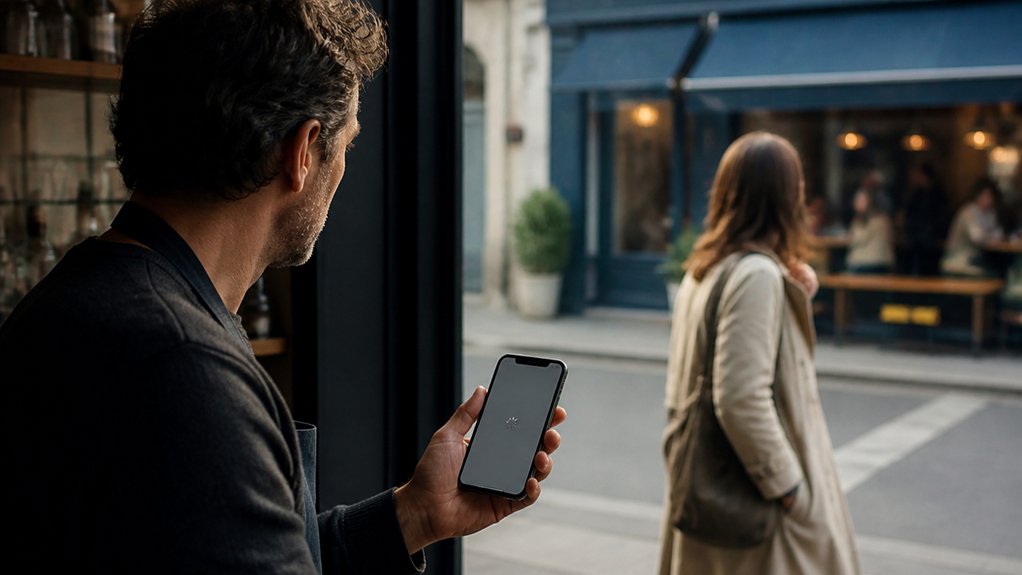
Your local customers often search on their phones, and a slow website can make them leave before they find your business. Page speed is one factor search engines use to rank results, so a faster site can help you compete in local searches.
Make key details—such as your hours, address, phone number, and booking options—quick to find and easy to use on mobile. That way, more visitors can take the next step and come to your business.
Mobile Search Dominance
Where do local customers search first? On their phones. They compare nearby businesses, check hours, get directions, and call when they’re ready to act.
If your site loads slowly or is hard to use, they may return to the search results and choose a competitor.
Make mobile optimization a priority. Put essential details—such as your hours, services, phone number, and address—where visitors can find them quickly.
Make buttons easy to tap, so customers can call, browse services, or get directions without hassle.
A fast, user-friendly mobile experience helps turn local searches into customer contacts.
Speed Shapes Rankings
When nearby customers search on their phones, a fast website can help them find you—and stay. Google considers page experience, including mobile performance, alongside relevance and distance when ranking local results. A slow site can hurt visibility and frustrate visitors who tap through. Delays can also make it harder for customers to call, book, or buy.
Start with the pages customers use most, such as your homepage, contact page, and booking form. Check Core Web Vitals, test those pages on real phones, and look for ways to compress images, remove unnecessary scripts, and improve hosting.
Faster pages make it easier for visitors to take action. Pair speed improvements with consistent branding so every smooth, polished interaction builds trust in your business.
Local Visits Start Online
A fast mobile site helps local customers take action. They may be looking for nearby services, checking your hours, comparing options, or deciding where to go. If your pages load slowly, they may leave before they see what you offer.
Make speed part of your Local SEO strategy. Google considers page experience alongside relevance and distance, and a smooth mobile experience makes it easier for customers to call, get directions, or visit your store.
Start with three checks: mobile load times, tap-to-call clicks, and requests for directions. Look for pages that slow customers down.
Then simplify those pages, compress large images, and test your site on real phones and tablets. A faster, easier experience helps neighbors connect with your business when they’re ready.
How Can You Check Your Website Speed?
Check your website speed with Google PageSpeed Insights. It shows how your site performs on mobile and desktop, including Core Web Vitals. Run tests at different times and compare the results instead of relying on one score.
Test your site with PageSpeed Insights on mobile and desktop, and compare results over time for a clearer picture of performance.
Test the pages customers use most, such as your homepage, service pages, and contact form. Visitors may land on any of them, so each page should load and work smoothly.
Use the results to prioritize website optimization and improve user experience. Focus on loading speed, responsiveness, and visual stability.
After making updates, run the tests again, then check your site on a phone using a typical internet connection. Aim for a fast, dependable experience that makes it easy for customers to take the next step.
What Slows Down a Local Business Website?

A local business website can feel slow when large images, unnecessary scripts, too many plugins, or unreliable hosting hold up page delivery.
For example, an oversized photo can take longer to load on a customer’s phone, while a third-party booking tool may delay the rest of the page. Server problems can add more waiting time before your site starts to load.
These delays can frustrate people looking for your hours, directions, or appointment details.
Start by compressing large images, removing plugins and scripts you don’t need, and checking that your hosting can handle your site’s traffic. Fixing these bottlenecks can make it easier for nearby customers to get the information they need.
Which Website Speed Fixes Should You Try First?
Start with the fixes most likely to remove major bottlenecks:
- Compress oversized images. Smaller image files load faster, especially for visitors on mobile connections. Resize images to fit their display area and use a modern format when your site supports it.
- Defer nonessential scripts. Delay tools such as chat widgets or marketing tags until they’re needed, so they don’t slow the initial page load.
- Remove plugins you don’t use. Uninstall them—not just disable them—to reduce unnecessary maintenance and potential overhead.
- Enable browser caching and use a content delivery network (CDN). Caching helps returning visitors load familiar files faster, while a CDN serves files from locations closer to your customers.
Make one change at a time, then test your key pages on desktop and mobile. This helps you see which fixes make a real difference.
If your site is still slow, check your hosting plan and server limits. Consider an upgrade only after simpler fixes have been addressed.
Prioritize improvements by expected impact, cost, and effort.
How Can You Monitor and Maintain Website Speed?
Website speed can change after an update, a new page, or a traffic spike, so don’t rely on a one-time test. Check your site weekly with tools such as PageSpeed Insights, and test important pages on both mobile and desktop.
Test key pages weekly on mobile and desktop to catch speed changes after updates, new pages, or traffic spikes.
Track load time, Largest Contentful Paint, and Interaction to Next Paint against a consistent baseline. Set alerts for noticeable drops so you can investigate before visitors leave.
After changing a plugin, design, or page content, retest the pages that matter most to your business.
Use the results to prioritize speed improvements. Record each fix and check whether it helped.
Review your performance trends monthly to spot recurring issues early.
Frequently Asked Questions
Does Website Speed Affect My Local Search Rankings?
Yes, website speed can affect your local search visibility. Google considers page experience, and a slow site can frustrate visitors and make them leave. Compress images, remove unnecessary scripts, and test your pages on mobile to help them load faster and keep customers engaged.
Can a Faster Website Improve My Online Advertising Results?
Yes—a faster website can make your online ads work harder. When a landing page loads quickly, visitors can get to your offer without waiting, which may reduce the chance they leave before it appears. A smoother experience can also make it easier for them to take the next step, such as booking a call or buying a product.
Check your page speed and ad conversion data together. If people click your ad but leave before taking action, improve the landing page load time and track whether results change.
Should I Hire a Professional to Optimize My Website?
Yes, hire a professional if your website is slow, hard to use, or not turning visitors into customers. They can review performance data, find issues that may be driving people away, and recommend practical fixes. For example, they might speed up slow-loading pages, make navigation clearer, or improve accessibility. Ask for a prioritized action plan so you know what to fix first and how to measure the results.
How Much Does Website Speed Optimization Typically Cost?
Website speed optimization costs depend on the work your site needs. A basic audit may cost $100–$500, while hands-on optimization services can range from $500 to $5,000. Complex sites may cost more. Start by asking for an audit that identifies the biggest slowdowns, such as oversized images or slow hosting, then request a quote for fixing them.
Can Website Speed Affect Accessibility for Customers With Disabilities?
Yes. A slow website can make it harder for customers with disabilities to use assistive technology. Improve access by speeding up page loads, preventing content from shifting unexpectedly, and testing your site with screen readers and keyboard navigation. Include people with disabilities in regular testing, too.
Conclusion
A slow website can cost you local customers. When someone needs your hours, directions, or phone number, they may leave if your page takes too long to load. Check your site on a phone, test it regularly, and tackle the biggest speed issues first. Compress large images, remove unnecessary plugins, and ask your web developer to investigate slow pages. A faster site makes it easier for potential customers to find what they need, builds trust, and gives your business a better chance to earn their visit or call.